Compare commits
106 Commits
| Author | SHA1 | Date | |
|---|---|---|---|
 honeymoose honeymoose
|
d2680eb476 | ||
|
honeymoose
|
50efd97ab4 | ||
|
honeymoose
|
2ddca68588 | ||
|
honeymoose
|
c86d23d714 | ||
|
honeymoose
|
5cfa513f9b | ||
|
honeymoose
|
64f4d23e3d | ||
|
honeymoose
|
8c5742a4fd | ||
|
honeymoose
|
b68135f9ec | ||
|
honeymoose
|
4a72a2a0c4 | ||
|
honeymoose
|
3473e95029 | ||
|
honeymoose
|
ea3dc47392 | ||
|
honeymoose
|
524e2dd85a | ||
|
honeymoose
|
5827340faf | ||
|
honeymoose
|
87d2ef352a | ||
|
honeymoose
|
5dd2f728f4 | ||
|
honeymoose
|
710dba644d | ||
|
honeymoose
|
c025706576 | ||
|
honeymoose
|
54236a80c3 | ||
|
honeymoose
|
26be54f7ac | ||
|
honeymoose
|
601c371a37 | ||
|
honeymoose
|
93f95dc3f6 | ||
|
honeymoose
|
29b443875e | ||
|
honeymoose
|
e3f7a39334 | ||
|
honeymoose
|
e55c220b91 | ||
|
honeymoose
|
513c4db6ba | ||
|
honeymoose
|
12b0dc1089 | ||
|
honeymoose
|
cc157a31c5 | ||
|
honeymoose
|
17f6fb0199 | ||
|
honeymoose
|
264ec78c00 | ||
|
honeymoose
|
44a2d4a16c | ||
|
honeymoose
|
409f767b75 | ||
|
honeymoose
|
addd1ae94c | ||
|
honeymoose
|
8847b70e82 | ||
|
honeymoose
|
b24df2ef3f | ||
|
honeymoose
|
8a59be936d | ||
|
honeymoose
|
054dc82f0a | ||
|
honeymoose
|
3549c06ce7 | ||
|
honeymoose
|
ed746fce2b | ||
|
honeymoose
|
04268f7d75 | ||
|
honeymoose
|
0cb1080067 | ||
|
honeymoose
|
f52cf84cc2 | ||
|
honeymoose
|
5db82c2493 | ||
|
honeymoose
|
45e72bdc72 | ||
|
honeymoose
|
311971ff70 | ||
 YuCheng Hu YuCheng Hu
|
c6c470f069 | ||
|
honeymoose
|
ac813f6722 | ||
|
honeymoose
|
66c3b97650 | ||
|
honeymoose
|
186401fe22 | ||
|
honeymoose
|
d5ee93f952 | ||
|
honeymoose
|
3aaa98b247 | ||
|
honeymoose
|
e93531c52c | ||
|
honeymoose
|
45534e0b17 | ||
|
honeymoose
|
d417c42553 | ||
|
honeymoose
|
0985a88859 | ||
|
honeymoose
|
617692cf6b | ||
|
honeymoose
|
0792e3448f | ||
|
honeymoose
|
bd5bd59e5b | ||
|
honeymoose
|
8298582ef3 | ||
|
honeymoose
|
228d426364 | ||
|
honeymoose
|
93d2ebbbe1 | ||
|
honeymoose
|
a6c5ba2594 | ||
|
honeymoose
|
e92ddde554 | ||
|
honeymoose
|
6671163b02 | ||
|
honeymoose
|
22a9c9e329 | ||
|
YuCheng Hu
|
97750b76b1 | ||
|
YuCheng Hu
|
a0549cc87f | ||
|
YuCheng Hu
|
0cd1993c85 | ||
|
YuCheng Hu
|
879b754cef | ||
|
YuCheng Hu
|
a95a124a46 | ||
|
YuCheng Hu
|
b193099ebc | ||
|
YuCheng Hu
|
7ef0580560 | ||
|
YuCheng Hu
|
f7f0c049f2 | ||
|
YuCheng Hu
|
d9739146f3 | ||
|
YuCheng Hu
|
3e83e6d7f8 | ||
|
YuCheng Hu
|
2a794ea441 | ||
|
YuCheng Hu
|
7602bdef62 | ||
|
YuCheng Hu
|
72c4c91e5d | ||
|
YuCheng Hu
|
aa5a0db7f6 | ||
|
YuCheng Hu
|
05629f46e0 | ||
|
YuCheng Hu
|
94189f572c | ||
|
YuCheng Hu
|
61b3f40793 | ||
|
YuCheng Hu
|
10e01554cd | ||
|
YuCheng Hu
|
9aa572b63e | ||
|
YuCheng Hu
|
fbe4824ea5 | ||
|
YuCheng Hu
|
02dfa8fc58 | ||
|
YuCheng Hu
|
13067122c7 | ||
|
YuCheng Hu
|
25f039d237 | ||
|
YuCheng Hu
|
34c6c5ba85 | ||
|
YuCheng Hu
|
e976c34ac9 | ||
|
YuCheng Hu
|
1543c67894 | ||
|
YuCheng Hu
|
b84cd2d94b | ||
|
YuCheng Hu
|
0a895131cd | ||
|
YuCheng Hu
|
a869f1dded | ||
|
YuCheng Hu
|
cd27777ee3 | ||
|
YuCheng Hu
|
5feb925873 | ||
|
YuCheng Hu
|
be9c5d5294 | ||
|
YuCheng Hu
|
5bb7b86a3d | ||
|
YuCheng Hu
|
eeb5532bff | ||
|
YuCheng Hu
|
9e29cf14bb | ||
|
YuCheng Hu
|
c3819a69e3 | ||
|
YuCheng Hu
|
10c4b99e54 | ||
|
YuCheng Hu
|
f9f812d1e3 | ||
|
YuCheng Hu
|
7c920fa887 | ||
|
YuCheng Hu
|
f191fd47ae | ||
|
YuCheng Hu
|
4ebc3891d9 | ||
|
YuCheng Hu
|
f1e652bcce |
Generated
-8
@@ -1,8 +0,0 @@
|
||||
# Default ignored files
|
||||
/shelf/
|
||||
/workspace.xml
|
||||
# Datasource local storage ignored files
|
||||
/../../../../../../:\WorkDir\GitHub\cwiki-us-docs\cwikius-docs\.idea/dataSources/
|
||||
/dataSources.local.xml
|
||||
# Editor-based HTTP Client requests
|
||||
/httpRequests/
|
||||
Generated
-25
@@ -1,25 +0,0 @@
|
||||
<component name="ProjectCodeStyleConfiguration">
|
||||
<code_scheme name="Project" version="173">
|
||||
<JetCodeStyleSettings>
|
||||
<option name="PACKAGES_TO_USE_STAR_IMPORTS">
|
||||
<value>
|
||||
<package name="java.util" alias="false" withSubpackages="false" />
|
||||
<package name="kotlinx.android.synthetic" alias="false" withSubpackages="true" />
|
||||
<package name="io.ktor" alias="false" withSubpackages="true" />
|
||||
</value>
|
||||
</option>
|
||||
<option name="PACKAGES_IMPORT_LAYOUT">
|
||||
<value>
|
||||
<package name="" alias="false" withSubpackages="true" />
|
||||
<package name="java" alias="false" withSubpackages="true" />
|
||||
<package name="javax" alias="false" withSubpackages="true" />
|
||||
<package name="kotlin" alias="false" withSubpackages="true" />
|
||||
<package name="" alias="true" withSubpackages="true" />
|
||||
</value>
|
||||
</option>
|
||||
</JetCodeStyleSettings>
|
||||
<ScalaCodeStyleSettings>
|
||||
<option name="MULTILINE_STRING_CLOSING_QUOTES_ON_NEW_LINE" value="true" />
|
||||
</ScalaCodeStyleSettings>
|
||||
</code_scheme>
|
||||
</component>
|
||||
Generated
-5
@@ -1,5 +0,0 @@
|
||||
<component name="ProjectCodeStyleConfiguration">
|
||||
<state>
|
||||
<option name="PREFERRED_PROJECT_CODE_STYLE" value="Default" />
|
||||
</state>
|
||||
</component>
|
||||
Generated
+6
@@ -0,0 +1,6 @@
|
||||
<?xml version="1.0" encoding="UTF-8"?>
|
||||
<project version="4">
|
||||
<component name="ThriftCompiler">
|
||||
<compilers />
|
||||
</component>
|
||||
</project>
|
||||
+13
-1
@@ -1,5 +1,17 @@
|
||||
# 公众平台
|
||||
# 联系方式
|
||||
|
||||
请使用下面的联系方式和我们联系:
|
||||
|
||||
| 联系方式名称 | 联系方式 |
|
||||
|---|---|
|
||||
| 电子邮件 | [service@ossez.com](mailto:service@ossez.com) |
|
||||
| QQ 或微信 | 103899765 |
|
||||
| QQ 交流群 | 15186112 |
|
||||
| 社区论坛 | [https://www.ossez.com/](https://www.ossez.com/) |
|
||||
| WIKI 维基 | [https://www.cwiki.us/](https://www.cwiki.us/) |
|
||||
| CN 博客 | [https://www.cwikius.cn/](https://www.cwikius.cn/) |
|
||||
|
||||
## 公众平台
|
||||
我们建议您通过社区论坛来和我们进行沟通,请关注我们公众平台上的账号
|
||||
|
||||
## 微信公众号
|
||||
|
||||
@@ -0,0 +1,201 @@
|
||||
Apache License
|
||||
Version 2.0, January 2004
|
||||
http://www.apache.org/licenses/
|
||||
|
||||
TERMS AND CONDITIONS FOR USE, REPRODUCTION, AND DISTRIBUTION
|
||||
|
||||
1. Definitions.
|
||||
|
||||
"License" shall mean the terms and conditions for use, reproduction,
|
||||
and distribution as defined by Sections 1 through 9 of this document.
|
||||
|
||||
"Licensor" shall mean the copyright owner or entity authorized by
|
||||
the copyright owner that is granting the License.
|
||||
|
||||
"Legal Entity" shall mean the union of the acting entity and all
|
||||
other entities that control, are controlled by, or are under common
|
||||
control with that entity. For the purposes of this definition,
|
||||
"control" means (i) the power, direct or indirect, to cause the
|
||||
direction or management of such entity, whether by contract or
|
||||
otherwise, or (ii) ownership of fifty percent (50%) or more of the
|
||||
outstanding shares, or (iii) beneficial ownership of such entity.
|
||||
|
||||
"You" (or "Your") shall mean an individual or Legal Entity
|
||||
exercising permissions granted by this License.
|
||||
|
||||
"Source" form shall mean the preferred form for making modifications,
|
||||
including but not limited to software source code, documentation
|
||||
source, and configuration files.
|
||||
|
||||
"Object" form shall mean any form resulting from mechanical
|
||||
transformation or translation of a Source form, including but
|
||||
not limited to compiled object code, generated documentation,
|
||||
and conversions to other media types.
|
||||
|
||||
"Work" shall mean the work of authorship, whether in Source or
|
||||
Object form, made available under the License, as indicated by a
|
||||
copyright notice that is included in or attached to the work
|
||||
(an example is provided in the Appendix below).
|
||||
|
||||
"Derivative Works" shall mean any work, whether in Source or Object
|
||||
form, that is based on (or derived from) the Work and for which the
|
||||
editorial revisions, annotations, elaborations, or other modifications
|
||||
represent, as a whole, an original work of authorship. For the purposes
|
||||
of this License, Derivative Works shall not include works that remain
|
||||
separable from, or merely link (or bind by name) to the interfaces of,
|
||||
the Work and Derivative Works thereof.
|
||||
|
||||
"Contribution" shall mean any work of authorship, including
|
||||
the original version of the Work and any modifications or additions
|
||||
to that Work or Derivative Works thereof, that is intentionally
|
||||
submitted to Licensor for inclusion in the Work by the copyright owner
|
||||
or by an individual or Legal Entity authorized to submit on behalf of
|
||||
the copyright owner. For the purposes of this definition, "submitted"
|
||||
means any form of electronic, verbal, or written communication sent
|
||||
to the Licensor or its representatives, including but not limited to
|
||||
communication on electronic mailing lists, source code control systems,
|
||||
and issue tracking systems that are managed by, or on behalf of, the
|
||||
Licensor for the purpose of discussing and improving the Work, but
|
||||
excluding communication that is conspicuously marked or otherwise
|
||||
designated in writing by the copyright owner as "Not a Contribution."
|
||||
|
||||
"Contributor" shall mean Licensor and any individual or Legal Entity
|
||||
on behalf of whom a Contribution has been received by Licensor and
|
||||
subsequently incorporated within the Work.
|
||||
|
||||
2. Grant of Copyright License. Subject to the terms and conditions of
|
||||
this License, each Contributor hereby grants to You a perpetual,
|
||||
worldwide, non-exclusive, no-charge, royalty-free, irrevocable
|
||||
copyright license to reproduce, prepare Derivative Works of,
|
||||
publicly display, publicly perform, sublicense, and distribute the
|
||||
Work and such Derivative Works in Source or Object form.
|
||||
|
||||
3. Grant of Patent License. Subject to the terms and conditions of
|
||||
this License, each Contributor hereby grants to You a perpetual,
|
||||
worldwide, non-exclusive, no-charge, royalty-free, irrevocable
|
||||
(except as stated in this section) patent license to make, have made,
|
||||
use, offer to sell, sell, import, and otherwise transfer the Work,
|
||||
where such license applies only to those patent claims licensable
|
||||
by such Contributor that are necessarily infringed by their
|
||||
Contribution(s) alone or by combination of their Contribution(s)
|
||||
with the Work to which such Contribution(s) was submitted. If You
|
||||
institute patent litigation against any entity (including a
|
||||
cross-claim or counterclaim in a lawsuit) alleging that the Work
|
||||
or a Contribution incorporated within the Work constitutes direct
|
||||
or contributory patent infringement, then any patent licenses
|
||||
granted to You under this License for that Work shall terminate
|
||||
as of the date such litigation is filed.
|
||||
|
||||
4. Redistribution. You may reproduce and distribute copies of the
|
||||
Work or Derivative Works thereof in any medium, with or without
|
||||
modifications, and in Source or Object form, provided that You
|
||||
meet the following conditions:
|
||||
|
||||
(a) You must give any other recipients of the Work or
|
||||
Derivative Works a copy of this License; and
|
||||
|
||||
(b) You must cause any modified files to carry prominent notices
|
||||
stating that You changed the files; and
|
||||
|
||||
(c) You must retain, in the Source form of any Derivative Works
|
||||
that You distribute, all copyright, patent, trademark, and
|
||||
attribution notices from the Source form of the Work,
|
||||
excluding those notices that do not pertain to any part of
|
||||
the Derivative Works; and
|
||||
|
||||
(d) If the Work includes a "NOTICE" text file as part of its
|
||||
distribution, then any Derivative Works that You distribute must
|
||||
include a readable copy of the attribution notices contained
|
||||
within such NOTICE file, excluding those notices that do not
|
||||
pertain to any part of the Derivative Works, in at least one
|
||||
of the following places: within a NOTICE text file distributed
|
||||
as part of the Derivative Works; within the Source form or
|
||||
documentation, if provided along with the Derivative Works; or,
|
||||
within a display generated by the Derivative Works, if and
|
||||
wherever such third-party notices normally appear. The contents
|
||||
of the NOTICE file are for informational purposes only and
|
||||
do not modify the License. You may add Your own attribution
|
||||
notices within Derivative Works that You distribute, alongside
|
||||
or as an addendum to the NOTICE text from the Work, provided
|
||||
that such additional attribution notices cannot be construed
|
||||
as modifying the License.
|
||||
|
||||
You may add Your own copyright statement to Your modifications and
|
||||
may provide additional or different license terms and conditions
|
||||
for use, reproduction, or distribution of Your modifications, or
|
||||
for any such Derivative Works as a whole, provided Your use,
|
||||
reproduction, and distribution of the Work otherwise complies with
|
||||
the conditions stated in this License.
|
||||
|
||||
5. Submission of Contributions. Unless You explicitly state otherwise,
|
||||
any Contribution intentionally submitted for inclusion in the Work
|
||||
by You to the Licensor shall be under the terms and conditions of
|
||||
this License, without any additional terms or conditions.
|
||||
Notwithstanding the above, nothing herein shall supersede or modify
|
||||
the terms of any separate license agreement you may have executed
|
||||
with Licensor regarding such Contributions.
|
||||
|
||||
6. Trademarks. This License does not grant permission to use the trade
|
||||
names, trademarks, service marks, or product names of the Licensor,
|
||||
except as required for reasonable and customary use in describing the
|
||||
origin of the Work and reproducing the content of the NOTICE file.
|
||||
|
||||
7. Disclaimer of Warranty. Unless required by applicable law or
|
||||
agreed to in writing, Licensor provides the Work (and each
|
||||
Contributor provides its Contributions) on an "AS IS" BASIS,
|
||||
WITHOUT WARRANTIES OR CONDITIONS OF ANY KIND, either express or
|
||||
implied, including, without limitation, any warranties or conditions
|
||||
of TITLE, NON-INFRINGEMENT, MERCHANTABILITY, or FITNESS FOR A
|
||||
PARTICULAR PURPOSE. You are solely responsible for determining the
|
||||
appropriateness of using or redistributing the Work and assume any
|
||||
risks associated with Your exercise of permissions under this License.
|
||||
|
||||
8. Limitation of Liability. In no event and under no legal theory,
|
||||
whether in tort (including negligence), contract, or otherwise,
|
||||
unless required by applicable law (such as deliberate and grossly
|
||||
negligent acts) or agreed to in writing, shall any Contributor be
|
||||
liable to You for damages, including any direct, indirect, special,
|
||||
incidental, or consequential damages of any character arising as a
|
||||
result of this License or out of the use or inability to use the
|
||||
Work (including but not limited to damages for loss of goodwill,
|
||||
work stoppage, computer failure or malfunction, or any and all
|
||||
other commercial damages or losses), even if such Contributor
|
||||
has been advised of the possibility of such damages.
|
||||
|
||||
9. Accepting Warranty or Additional Liability. While redistributing
|
||||
the Work or Derivative Works thereof, You may choose to offer,
|
||||
and charge a fee for, acceptance of support, warranty, indemnity,
|
||||
or other liability obligations and/or rights consistent with this
|
||||
License. However, in accepting such obligations, You may act only
|
||||
on Your own behalf and on Your sole responsibility, not on behalf
|
||||
of any other Contributor, and only if You agree to indemnify,
|
||||
defend, and hold each Contributor harmless for any liability
|
||||
incurred by, or claims asserted against, such Contributor by reason
|
||||
of your accepting any such warranty or additional liability.
|
||||
|
||||
END OF TERMS AND CONDITIONS
|
||||
|
||||
APPENDIX: How to apply the Apache License to your work.
|
||||
|
||||
To apply the Apache License to your work, attach the following
|
||||
boilerplate notice, with the fields enclosed by brackets "[]"
|
||||
replaced with your own identifying information. (Don't include
|
||||
the brackets!) The text should be enclosed in the appropriate
|
||||
comment syntax for the file format. We also recommend that a
|
||||
file or class name and description of purpose be included on the
|
||||
same "printed page" as the copyright notice for easier
|
||||
identification within third-party archives.
|
||||
|
||||
Copyright [yyyy] [name of copyright owner]
|
||||
|
||||
Licensed under the Apache License, Version 2.0 (the "License");
|
||||
you may not use this file except in compliance with the License.
|
||||
You may obtain a copy of the License at
|
||||
|
||||
http://www.apache.org/licenses/LICENSE-2.0
|
||||
|
||||
Unless required by applicable law or agreed to in writing, software
|
||||
distributed under the License is distributed on an "AS IS" BASIS,
|
||||
WITHOUT WARRANTIES OR CONDITIONS OF ANY KIND, either express or implied.
|
||||
See the License for the specific language governing permissions and
|
||||
limitations under the License.
|
||||
@@ -4,27 +4,7 @@
|
||||
|
||||
GitHub 上有关 CWIKIUS 的项目:[https://github.com/cwiki-us-docs/cwikius-docs](https://github.com/cwiki-us-docs/cwikius-docs)
|
||||
|
||||
|
||||
如果您有兴趣参与我们的小组和项目,请使用下面的联系方式和我们联系:
|
||||
|
||||
| 联系方式名称 | 联系方式 |
|
||||
|---|---|
|
||||
| 电子邮件 | [service@ossez.com](mailto:service@ossez.com) |
|
||||
| QQ 或微信 | 103899765 |
|
||||
| QQ 交流群 Spring | 15186112 |
|
||||
| 社区论坛 | [https://www.ossez.com/](https://www.ossez.com/) |
|
||||
|
||||
## 公众平台
|
||||
我们建议您通过社区论坛来和我们进行沟通,请关注我们公众平台上的账号
|
||||
|
||||
### 微信公众号
|
||||

|
||||
|
||||
### 头条号
|
||||
我们也在头条号上创建了我们的公众号,请扫描下面的 QR 关注我们的头条号。
|
||||
|
||||

|
||||
|
||||
[联系我们](CONTACT.md ':include')
|
||||
|
||||
## CWIKIUS 文档和手册快速导航
|
||||
|
||||
@@ -32,13 +12,30 @@ GitHub 上有关 CWIKIUS 的项目:[https://github.com/cwiki-us-docs/cwikius-d
|
||||
|
||||
在这里对原作者表示感谢。
|
||||
|
||||
| 网站名称 | URL | NOTE |
|
||||
|---|---|---|
|
||||
| [github.io](https://cwiki-us-docs.github.io/cwikius-docs/#/) | [https://cwiki-us-docs.github.io/cwikius-docs/#/](https://cwiki-us-docs.github.io/cwikius-docs/#/) | 本手册的编译版本将会部署在这个链接上 |
|
||||
| WWW.CWIKIUS.CN | [http://www.cwikius.cn/](http://www.cwikius.cn/) | CWIKIUS.CN 一个有独立思考和温度的清新站 |
|
||||
| 网站名称 | URL | NOTE | GitHuba Page 链接 |
|
||||
|----------------|--------------------------------------------------------|---------------------------|----------------------------------------------------------------------------------------------------|
|
||||
| DOCS.OSSEZ.COM | [https://docs.ossez.com/#/](https://docs.ossez.com/#/) | 本手册的编译版本将会部署在这个链接上 | [https://cwiki-us-docs.github.io/cwikius-docs/#/](https://cwiki-us-docs.github.io/cwikius-docs/#/) |
|
||||
| WWW.CWIKIUS.CN | [http://www.cwikius.cn/](http://www.cwikius.cn/) | CWIKIUS.CN 一个有独立思考和温度的清新站 | N/A |
|
||||
|
||||
### 前端和 UI
|
||||
|
||||
| 网站名称 | URL | NOTE |
|
||||
|-----------------|-----------------------------------------------------------------------------|-----------------------------|
|
||||
| 前端技术社区 | https://www.ossez.com/c/toolkit-algorithm-computer-science/web-front-end/26 | 计算机相关的前端框架和讨论 |
|
||||
| TypeScript 文档手册 | https://typescript.ossez.com/ | TypeScript 相关技术文档和手册 |
|
||||
| Angular 技术手册 | https://angular.ossez.com/ | Angular 手册的在线翻译版本,从源代码中进行编译 |
|
||||
| TypeScript 文档手册 | https://typescript.ossez.com/ | TypeScript 相关技术文档和手册 |
|
||||
|
||||
### 后端和数据层
|
||||
|
||||
| 网站名称 | URL | NOTE |
|
||||
|------------------------|-------------------------------|----------------------|
|
||||
| Apache Druid 技术手册 | https://druid.ossez.com/ | Druid 手册的在线翻译版本 |
|
||||
| Amazon OpenSearch 技术手册 | https://opensearch.ossez.com/ | OpenSearch 手册的在线翻译版本 |
|
||||
|
||||
### 容器 docker
|
||||
| 网站名称 | URL | NOTE |
|
||||
|---|---|---|
|
||||
| Docker 手册中译在线版 | https://docker.ossez.com/ | 基于 Docker 容器英文手册的翻译版本|
|
||||
| Docker 手册中译 MD 在线版 | https://docker-docs.ossez.com/ | 因为 Docker 的官方手册进行了渲染,我们推荐你使用上面的链接,这个版本为 docsify 渲染版本,可能会丢格式 |
|
||||
|
||||
| 网站名称 | URL | NOTE |
|
||||
|--------------------|--------------------------------|-------------------------------------------------------------|
|
||||
| Docker 手册中译在线版 | https://docker.ossez.com/ | 基于 Docker 容器英文手册的翻译版本 |
|
||||
| Docker 手册中译 MD 在线版 | https://docker-docs.ossez.com/ | 因为 Docker 的官方手册进行了渲染,我们推荐你使用上面的链接,这个版本为 docsify 渲染版本,可能会丢格式 |
|
||||
+14
-4
@@ -1,12 +1,22 @@
|
||||
- CWIKIUS 文档概述
|
||||
- [文档介绍和快速链接](README.md)
|
||||
- [公众平台](CONTACT.md)
|
||||
- [联系方式](CONTACT.md)
|
||||
|
||||
- Gradle
|
||||
- [Deploy](deploy.md)
|
||||
- Java
|
||||
- [概述和环境配置](java/_README.md)
|
||||
- [核心编程](java/core/_README.md)
|
||||
- [语言基础](java/fundamentals/_README.md)
|
||||
|
||||
|
||||
- 其他小工具
|
||||
- [JWT](jwt/README.md)
|
||||
- [MessagePack](message-pack/index.md)
|
||||
- [Protocol Buffers](protocol-buffers/index.md)
|
||||
- [Discourse](discourse/index.md)
|
||||
|
||||
- [Awesome docsify](awesome.md)
|
||||
- 面试和算法
|
||||
- [面试问题和经验](interview/index.md)
|
||||
- [算法题](algorithm/index.md)
|
||||
|
||||
- [DOCS.OSSEZ.COM](https://docs.ossez.com/#/)
|
||||
- [Changelog](changelog.md)
|
||||
@@ -0,0 +1,19 @@
|
||||
# 算法
|
||||
在应聘技术岗位的时候,可能都会有一个让绝大部分人都比较讨厌的算法环节。
|
||||
|
||||
也不知道是谁搞出这么无聊的东西,但没有办法现实总是残酷的,在抱怨的同时也只能在找工作之前复习下这些在实际工作中基本上不用的算法题了。
|
||||
|
||||
因为 MD 文档格式的限制,所以我们在这里只放一个索引并且维护这个索引,有关的具体内容,请通过索引访问我们的社区进行查看,我们也非常欢迎您参与讨论,
|
||||
您可以在社区注册后进行讨论。
|
||||
|
||||
## 算法问题
|
||||
在这里我将按照我遇到算法问题的先后顺序进行排列。很多算法题目都是题库上面的原题,你可以到题库上面去找找。
|
||||
|
||||
我这里只是结合我在面试的时候遇到的题目来进行解答和进行一些点评,就当时总结和消遣吧,如果你希望有什么问题一起讨论的话,欢迎 Fork 这个项目并且登录社区进行讨论。
|
||||
|
||||
最新的内容在最前面。
|
||||
|
||||
### 内容索引
|
||||
* [A “word-wrap” functionality(一个字符串包裹函数)](https://www.ossez.com/t/a-word-wrap-functionality/13452)
|
||||
* [Prime numbers from 1 to 100 (打印 100 以内的素数)](https://www.ossez.com/t/prime-numbers-from-1-to-100-100/13450)
|
||||
|
||||
+1
-1
@@ -1,5 +1,5 @@
|
||||
<?xml version="1.0" encoding="UTF-8"?>
|
||||
<module type="WEB_MODULE" version="4">
|
||||
<module type="PYTHON_MODULE" version="4">
|
||||
<component name="NewModuleRootManager" inherit-compiler-output="true">
|
||||
<exclude-output />
|
||||
<content url="file://$MODULE_DIR$" />
|
||||
|
||||
@@ -0,0 +1,197 @@
|
||||
# Discourse 文档
|
||||
Discourse 文档是通过官方文档的整理翻译过来的,下面的内容与官方的内容基本一致。
|
||||
|
||||
针对中文环境下的时候,我们对遇到的一些问题发布到我们的讨论区中以方便大家快速导航访问:
|
||||
|
||||
- [Discourse CentOS 8 全新安装手册](https://www.ossez.com/t/discourse-centos-8/594) - 在 CentOS/RHEL 平台上全新安装 Discourse 的过程和命令。
|
||||
|
||||
- [Discourse 如何不使用 Let’s Encrypt 而使用 CA 签名的密钥进行安装](https://www.ossez.com/t/discourse-lets-encrypt-ca/552) - 使用你自己已有的 CA 秘钥进行安装。
|
||||
|
||||
- [Discourse 设置 GTM](https://www.ossez.com/t/discourse-gtm/13240) - 使用 Google 的标签管理器来插入需要的 JS 代码。
|
||||
|
||||
## 云平台安装
|
||||
**在基于云平台的 Discourse 安装通常不会超过 30 分钟**,哪怕你没有任何有关 Rails 或 Linux shell 的知识都能够顺利完成安装。
|
||||
下面我们是通过 [DigitalOcean][do] 服务提供商来进行安装测的,但是所有的安装步骤都能够在
|
||||
所有兼容 **Docker** 的云计算平台上进行,同时也可以在本地的服务器上完成安装。
|
||||
|
||||
> 🔔 如果你连 30 分钟都没有的话?你可以联系 Discourse 社区来帮你完成安装,Discourse 社区将会收取一次性 $150 (美元)的费用。 [单击此处链接来对服务进行购买](https://www.literatecomputing.com/product/discourse-install/) 。
|
||||
|
||||
### 创建一个新的云服务器
|
||||
|
||||
创建一个你的新云服务器,例如:[DigitalOcean](https://www.digitalocean.com/?refcode=5fa48ac82415) ,当然你也可以使用其他平台提供的服务器。
|
||||
|
||||
- 默认配置 **当前版本的 LTS Ubuntu 操作系统** 能够很好的工作。最少,需要一个 64 位的 Linux 操作系统,并且这个操作系统的内核需要更新到最新的版本。
|
||||
|
||||
- 默认配置 **1 GB** 的内存针对小型的 Discourse 社区通常都能很好的运行。但我们推荐针对大型社区使用 2 GB 的内存。
|
||||
|
||||
- 默认配置 **New York** 数据中心针对北美和欧洲来说都是不错的地理分区,如果你的 Discourse 用户使用的对象多是其他地理位置的用户,那么你可以选择离你稍近的数据中心。
|
||||
|
||||
- 输入域名 `discourse.example.com` 来在 DigitalOcean 中创建一个 Droplet(Droplet 是 DigitalOcean 定义的服务器名称)。当然你也可以购买使用你自己的域名,通常 Discourse 的安装需要一个真实的域名,没有办法通过 IP 地址安装,所以我们建议你首先购买域名或者使用你已有域名的二级域名。
|
||||
|
||||
创建你的新 Droplet,这个过程就等于你在 DigitalOcean 上创建了一个服务器,也等同你在其他平台上面创建了一个 VPS 或者服务器。
|
||||
当完成创建后,你将会收到一个电子邮件,这个电子邮件中有你的 Root 用户的密码。
|
||||
但是我们建议你 [设置使用 SSH keys](https://www.google.com/search?q=digitalocean+ssh+keys) , 来增强你服务器访问的安全性。
|
||||
|
||||
### 访问你的云服务器
|
||||
|
||||
通过使用 IP 地址,并使用 SSH 来连接和访问你创建的服务器,或者针对 Windows 平台你可以安装 [Putty][put] 后运行下面的命令来进行连接:
|
||||
|
||||
ssh root@192.168.1.1
|
||||
|
||||
如果你没有配置 SSH Key 的话,你可以使用 DigitalOcean 发给你的电子邮件中包含的密码来进行登录,
|
||||
或者使用你本地的 SSH Key 来进行连接。
|
||||
|
||||
### 安装 Docker / Git (可选的)
|
||||
|
||||
如果你希望使用你自己的 Docker 版本,你可以现在在你新设置的服务器上进行安装。
|
||||
如果你的服务器上没有默认安装 Docker,那么 `discourse-setup` 将会自动为你从 get.docker.com 下载后进行安装。
|
||||
|
||||
### 安装 Discourse
|
||||
|
||||
从 [官方 Discourse Docker 镜像][dd] 仓库中克隆代码到本地计算机的 `/var/discourse` 目录。
|
||||
|
||||
sudo -s
|
||||
git clone https://github.com/discourse/discourse_docker.git /var/discourse
|
||||
cd /var/discourse
|
||||
|
||||
你只需要执行上面的命令即可,在 Discourse 安装的过程中需要 root 权限。
|
||||
|
||||
### 电子邮件
|
||||
|
||||
> ⚠️ **电子邮件系统在 Discourse 的用户创建过程中非常重要。**
|
||||
> 如果你没有在安装 Discourse 之前创建电子邮件 SMTP 服务器,那么你安装的 Discourse 无法访问也无法登录(HAVE A BROKEN SITE)!
|
||||
|
||||
- 如果你已经有你自己的 SMTP 邮件服务器了,那么你就可以直接使用你已有的邮件服务器配置信息。
|
||||
|
||||
- 还有没有邮件服务器?请访问 [**Discourse 推荐使用的邮件服务器**][mailconfig].
|
||||
|
||||
- 为了确保你的邮件能够被正常投递,你必须在你的 DNS 中添加有效的 [SPF 和 DKIM 记录](https://www.google.com/search?q=spf+dkim) 。请访问你邮件服务提供商的文档如何设置这些信息。
|
||||
|
||||
根据我们实际使用的情况,Discourse 的安装**必须**配置可用的域名和邮件服务器,针对中国境内的情况,你可以使用阿里云或者腾讯云提供的企业邮箱。
|
||||
通常我们建议你使用境外的邮件服务器,比如说 AWS 的 SES,或者 MailGun 都是不错的服务,你可能需要一张国际信用卡完成校验。
|
||||
但这一步是必须的,否则你的的 Discourse 无法完成安装。
|
||||
|
||||
### 域名
|
||||
|
||||
> 🔔 Discourse 不能通过 IP 地址来工作,你必须拥有一个域名或者二级域名来进行安装,例如 `example.com` 。
|
||||
|
||||
- 如果你已经拥有一个域名了,那么可以选择任何一个二级域名来进行安装,例如 `discourse.example.com` 或 `talk.example.com` 或 `forum.example.com` 来安装你的 Discourse 实例。
|
||||
|
||||
- 还没有域名的话,你可以访问 [NameCheap](https://www.namecheap.com/domains/domain-name-search/) 网站来搜索你喜欢的域名,或者直接 Google 搜索 [great domain name registrars](https://www.google.com/search?q=best+domain+name+registrars) 来选择你喜欢的域名注册商。
|
||||
|
||||
- 你的 DNS 控制台应该是能够访问的,在你购买域名后,你还需要访问你的 DNS 配置来配置 DNS。针对你安装的 Discourse 网站,你需要通过你的 DNS 创建一个 [`A` 记录](https://support.dnsimple.com/articles/a-record/) ,这个 A 记录需要将你要安装的域名指向到一个特定的 IP 地址。这个 IP 地址通常为你在第一步购买的服务器 IP 地址。
|
||||
|
||||
### 编辑 Discourse 配置
|
||||
|
||||
通过下面的命令运行配置工具
|
||||
|
||||
./discourse-setup
|
||||
|
||||
你需要根据下面的提示配置所有参数:
|
||||
|
||||
Hostname for your Discourse? [discourse.example.com]:
|
||||
Email address for admin account(s)? [me@example.com,you@example.com]:
|
||||
SMTP server address? [smtp.example.com]:
|
||||
SMTP port? [587]:
|
||||
SMTP user name? [user@example.com]:
|
||||
SMTP password? [pa$$word]:
|
||||
Let's Encrypt account email? (ENTER to skip) [me@example.com]:
|
||||
|
||||
上面的输入数据将会为你的 Discourse 实例创建一个 `app.yml` 文件,这个文件将会在安装进行后对你的 Discourse 实例进行配置。
|
||||
整个安装启动过程可能需要耗费 **2-8 分钟** 来为你的配置 Discourse。
|
||||
如果在安装完成后你还需要对你的配置进行修改,你可以再次运行 `./discourse-setup` 命令(这个命令将会把已经存在的 `app.yml` 文件重新载入)。
|
||||
或者你也可以手动直接编辑 `/containers/app.yml` 文件中的内容,然后再次运行 `./launcher rebuild app`,否则你的修改是不会生效的。
|
||||
|
||||
### 启动 Discourse
|
||||
|
||||
一旦初始化安装配置完成后,你的 Discourse 示例应该可以通过你配置的域名 `discourse.example.com` 在浏览器上进行访问。
|
||||
|
||||
<img src="https://cdn.ossez.com/discourse-uploads/optimized/2X/8/8db53b9128ec4fb74872bdb7c1231ff04d525218_2_616x500.png" width="650">
|
||||
|
||||
### 注册一个新的管理员账号
|
||||
|
||||
使用你再启动配置过程中输入的电子邮件地址来注册一个管理员账号。
|
||||
|
||||
<img src="https://cdn.ossez.com/discourse-uploads/original/2X/9/99476eac0ffa4aa3a923aa7ae864fedf546dab0a.png" width="650">
|
||||
|
||||
<img src="https://cdn.ossez.com/discourse-uploads/original/2X/5/58660d377a00d9797be8b74036ace9d0ebf57fff.png" width="650">
|
||||
|
||||
(如果你不能注册你的管理账号(Admin),请通过路径`/var/discourse/shared/standalone/log/rails/production.log` 检查日志,或者访问 [电子邮件问题检查列表](https://meta.discourse.org/t/troubleshooting-email-on-a-new-discourse-install/16326) 。)
|
||||
|
||||
当你完成管理员账号的注册后,设置向导将会启动并指引你配置你的 Discourse 实例。
|
||||
|
||||
<img src="https://cdn.ossez.com/discourse-uploads/original/2X/9/944509dd0c049a2cec42d6108369fa5cf5d92d0d.png" width="650">
|
||||
|
||||
当完成所有的设置向导,你将会看到职员主题(Staff topics)和 **READ ME FIRST: Admin Quick Start Guide** 。
|
||||
这个配置向导将会包含有针对后续配置的的一些建议和如何对你的 Discourse 安装实例进行自定义配置。
|
||||
|
||||
<img src="https://cdn.ossez.com/discourse-uploads/original/2X/8/8a60bc840705aaa1fc77b039a7babf77d6b4a10b.png" width="650">
|
||||
|
||||
### 安装后的维护
|
||||
|
||||
- 我们强烈建议打开你针对你操作系统的安全自动更新。在 Ubuntu 使用 `dpkg-reconfigure -plow unattended-upgrades` 命令。在 CentOS/RHEL,使用 [`yum-cron`](https://www.cyberciti.biz/faq/fedora-automatic-update-retrieval-installation-with-cron/) 包。
|
||||
- 如果你使用的是密码登录你的操作系统,而不是使用 SSH Key 的话,请确保你使用强密码。在 Ubuntu 使用 `apt-get install libpam-cracklib` 包。我们推荐使用 `fail2ban` ,这个将会对 3 次登录失败的 IP 地址禁止登录 10 分钟。
|
||||
- **Ubuntu**: `apt-get install fail2ban`
|
||||
- **CentOS/RHEL**: `sudo yum install fail2ban` (需要 [EPEL](https://support.rackspace.com/how-to/install-epel-and-additional-repositories-on-centos-and-red-hat/))
|
||||
- 如果你希望默认安装防火墙, 针对 Ubuntu [打开 ufw](https://meta.discourse.org/t/configure-a-firewall-for-discourse/20584) 或者针对 CentOS/RHEL 7 及其后续版本使用 `firewalld` 。
|
||||
|
||||
当 Discourse 有新版本更新的时候,你的邮件地址将会收到更新提示。
|
||||
请随时更新你的 Discourse 实例到最新版本以确保所有的安全问题被修复。
|
||||
要 **更新 Discourse 到最新的版本**,请通过你的浏览器访问 `/admin/upgrade` 然后单击更新按钮。
|
||||
|
||||
`/var/discourse` 目录中的 `launcher` 命令被用来使用一些系统级别的维护:
|
||||
|
||||
``` text
|
||||
Usage: launcher COMMAND CONFIG [--skip-prereqs] [--docker-args STRING]
|
||||
Commands:
|
||||
start: Start/initialize a container(启动/初始化容器)
|
||||
stop: Stop a running container(停止一个运行的容器)
|
||||
restart: Restart a container(重启容器)
|
||||
destroy: Stop and remove a container (停止然后删除一个容器)
|
||||
enter: Use nsenter to get a shell into a container (使用 nsenter 来访问容器内的 Shell)
|
||||
logs: View the Docker logs for a container(查看一个容器的日志)
|
||||
bootstrap: Bootstrap a container for the config based on a template(从配置模板中来启动一个容器的配置和初始化)
|
||||
rebuild: Rebuild a container (destroy old, bootstrap, start new)(重构一个容器,将会删除老的容器,初始一个容器,启动新的容器)
|
||||
cleanup: Remove all containers that have stopped for > 24 hours(针对停止运行超过 24 个小时的容器进行删除)
|
||||
|
||||
Options:
|
||||
--skip-prereqs Don't check launcher prerequisites (不运行安装器的环境校验)
|
||||
--docker-args Extra arguments to pass when running docker (传递给容器内的额外参数)
|
||||
```
|
||||
|
||||
### 添加更多的 Discourse 特性
|
||||
|
||||
下面的内容是一些快速的链接,能够帮助你扩展 Discourse 安装的功能:
|
||||
|
||||
- Users to log in *only* via your pre-existing website's registration system? [Configure Single-Sign-On](https://meta.discourse.org/t/official-single-sign-on-for-discourse/13045).
|
||||
|
||||
- 用户可以使用 [Google](https://www.ossez.com/t/discourse-google-google-login/13582), [Twitter](https://meta.discourse.org/t/configuring-twitter-login-for-discourse/13395), [GitHub](https://www.ossez.com/t/discourse-github/13562), or [Facebook](https://meta.discourse.org/t/configuring-facebook-login-for-discourse/13394) 进行注册登录。
|
||||
|
||||
- Users to post replies via email? [Configure reply via email](https://meta.discourse.org/t/set-up-reply-via-email-support/14003).
|
||||
|
||||
- Automatic daily backups? [Configure backups](https://meta.discourse.org/t/configure-automatic-backups-for-discourse/14855).
|
||||
|
||||
- Free HTTPS / SSL support? [Configure Let's Encrypt](https://meta.discourse.org/t/setting-up-lets-encrypt-cert-with-discourse-docker/40709). Paid HTTPS / SSL support? [Configure SSL](https://meta.discourse.org/t/allowing-ssl-for-your-discourse-docker-setup/13847).
|
||||
|
||||
- Use a plugin [from Discourse](https://github.com/discourse) or a third party? [Configure plugins](https://meta.discourse.org/t/install-a-plugin/19157)
|
||||
|
||||
- Multiple Discourse sites on the same server? [Configure multisite](https://meta.discourse.org/t/multisite-configuration-with-docker/14084).
|
||||
|
||||
- Webhooks when events happen in Discourse? [Configure webhooks](https://meta.discourse.org/t/setting-up-webhooks/49045).
|
||||
|
||||
- A Content Delivery Network to speed up worldwide access? [Configure a CDN](https://meta.discourse.org/t/enable-a-cdn-for-your-discourse/14857). We recommend [Fastly](http://www.fastly.com/).
|
||||
|
||||
- Import old content from vBulletin, PHPbb, Vanilla, Drupal, BBPress, etc? [See our open source importers](https://github.com/discourse/discourse/tree/main/script/import_scripts).
|
||||
|
||||
- A user friendly [offline page when rebuilding or upgrading?](https://meta.discourse.org/t/adding-an-offline-page-when-rebuilding/45238)
|
||||
|
||||
- To embed Discourse [in your WordPress install](https://github.com/discourse/wp-discourse), or [on your static HTML site](https://meta.discourse.org/t/embedding-discourse-comments-via-javascript/31963)?
|
||||
|
||||
Help us improve this guide! Feel free to ask about it on [meta.discourse.org][meta], or even better, submit a pull request.
|
||||
|
||||
[dd]: https://github.com/discourse/discourse_docker
|
||||
[ssh]: https://help.github.com/articles/generating-ssh-keys
|
||||
[meta]: https://meta.discourse.org
|
||||
[do]: https://www.digitalocean.com/?refcode=5fa48ac82415
|
||||
[put]: http://www.chiark.greenend.org.uk/~sgtatham/putty/download.html
|
||||
[mailconfig]: https://github.com/discourse/discourse/blob/main/docs/INSTALL-email.md
|
||||
Vendored
BIN
Binary file not shown.
-5
@@ -1,5 +0,0 @@
|
||||
distributionBase=GRADLE_USER_HOME
|
||||
distributionPath=wrapper/dists
|
||||
distributionUrl=https\://services.gradle.org/distributions/gradle-5.4-bin.zip
|
||||
zipStoreBase=GRADLE_USER_HOME
|
||||
zipStorePath=wrapper/dists
|
||||

Binary file not shown.
|
After Width: | Height: | Size: 9.9 KiB |
@@ -0,0 +1,40 @@
|
||||
# 面试问题和经验文档
|
||||
在应聘技术岗位的时候,通常会要求你进行一些算法和基础知识的考核。因计算机的知识比较复杂概念也非常多,这就给应聘者带来很大的困惑,应该怎么去做?
|
||||
|
||||
同时面试官很多时候也是突击某个问题,然后拿着这个问题来问应聘者。结果就导致了很多问题非常刁钻古怪,甚至有时候你根本就不可能在实际开发中遇到。
|
||||
|
||||
不管怎么样,这种面试方式至少目前来说是一种趋势,所以我们尽量收集一些技术岗的面试经验供大家参考。
|
||||
|
||||

|
||||
|
||||
|
||||
因为 MD 文档格式的限制,所以我们在这里只放一个索引并且维护这个索引,有关的具体内容,请通过索引访问我们的社区进行查看,我们也非常欢迎您参与讨论,
|
||||
您可以在社区注册后进行讨论。
|
||||
|
||||
## CS 基础
|
||||
如果你有比较好的 CS 基础,那么下面的内容肯对你来说可能就太基础了。
|
||||
|
||||
如果你没有 CS 基础,但是想转成 CS ,并且需要进行一些面试,下面的这些内容也许能帮你想想盒子外面有什么(Thinking outside the box),顺便能够过一下 CS 的原理和概念。
|
||||
|
||||
* [为什么要转码](https://www.ossez.com/t/topic/13891)
|
||||
*
|
||||
|
||||
## 面试问题和经验索引
|
||||
在这里我们希望按照年份进行一些分开,这样能够帮助大家尽量区分时间,同时我们的排序是按照倒序排列的。
|
||||
|
||||
最新的内容在最前面(按照时间倒序排序)。
|
||||
|
||||
### 2021
|
||||
* [一次谈不上有点内卷的美东某金融公司面试](https://www.ossez.com/t/topic/13820)
|
||||
* [美东某 IoT 公司技术流程第一轮沟通就挂了](https://www.ossez.com/t/iot/13815)
|
||||
* [2021 年美东地区 IoT 公司的一次失败面试](https://www.ossez.com/t/2021-iot/13791)
|
||||
* [2021 年一次比较奇葩的 AWS 面试](https://www.ossez.com/t/2021-aws/13788)
|
||||
* [2021 疫情期间美国公司技术岗的面试流程](https://www.ossez.com/t/topic/13463)
|
||||
* [从拒绝到被拒绝](https://www.ossez.com/t/topic/13462)
|
||||
* [从一个工作到一个工作](https://www.ossez.com/t/topic/13461)
|
||||
* [北美亚特兰大一金融服务公司面试总结](https://www.ossez.com/t/topic/13453)
|
||||
* [北美一工作搜索引擎公司技术岗面经](https://www.ossez.com/t/topic/13451)
|
||||
* [一房地产数据服务初创公司的面经](https://www.ossez.com/t/topic/13441)
|
||||
|
||||
### 2019
|
||||
* [IT 技术岗位 2019 年北美求职流水账](https://www.ossez.com/t/it-2019/13433)
|
||||
@@ -0,0 +1,10 @@
|
||||
# Java 技术问题导航
|
||||
Java 是由 Sun Microsystems 公司于1995年5月推出的Java面向对象程序设计语言和Java平台的总称(Java 1.0 [J2SE])。由James Gosling和同事们共同研发,并在1995年正式推出。
|
||||
|
||||
本页面中主要对 Java 使用的基础知识和配置的内容进行快速导航。
|
||||
|
||||
## 安装
|
||||
* [Windows 环境下安装 Oracle JDK](https://www.ossez.com/t/windows-oracle-jdk/7254)
|
||||
|
||||
## 配置环境
|
||||
* [Java 在 Windows 10 中配置环境变量](https://www.ossez.com/t/java-windows-10/13675)
|
||||
@@ -0,0 +1,2 @@
|
||||
# 集合
|
||||
|
||||
@@ -0,0 +1,7 @@
|
||||
# Java 核心编程
|
||||
|
||||
[](annotation.md ':include')
|
||||
|
||||
[](core-java-8.md ':include')
|
||||
|
||||
[](core-java-strings.md ':include')
|
||||
@@ -0,0 +1,6 @@
|
||||
## Annotation(注解)
|
||||
Java 注解(Annotation)又称 Java 标注,是 JDK5.0 引入的一种注释机制。
|
||||
|
||||
Java 语言中的类、方法、变量、参数和包等都可以被标注。和 Javadoc 不同,Java 标注可以通过反射获取标注内容。在编译器生成类文件时,标注可以被嵌入到字节码中。Java 虚拟机可以保留标注内容,在运行时可以获取到标注内容 。 当然它也支持自定义 Java 标注。
|
||||
|
||||
* [Java @Deprecated Annotation(注解)](https://www.ossez.com/t/java-deprecated-annotation/13676)
|
||||
@@ -0,0 +1,14 @@
|
||||
## Java 8 核心
|
||||
|
||||
本模块中包含有关 Java 8 核心新增功能特性的一些文章。
|
||||
|
||||
- [New Features in Java 8](https://www.baeldung.com/java-8-new-features)
|
||||
- [Guide to Java 8 groupingBy Collector](https://www.baeldung.com/java-groupingby-collector)
|
||||
- [Java 8 中的设计模式策略](https://www.ossez.com/t/java-8/13978)
|
||||
- [Guide to Java 8 Comparator.comparing()](https://www.baeldung.com/java-8-comparator-comparing)
|
||||
- [Guide to the Java 8 forEach](https://www.baeldung.com/foreach-java)
|
||||
- [Introduction to Spliterator in Java](https://www.baeldung.com/java-spliterator)
|
||||
- [Finding Min/Max in an Array with Java](https://www.baeldung.com/java-array-min-max)
|
||||
- [Internationalization and Localization in Java 8](https://www.baeldung.com/java-8-localization)
|
||||
- [Generalized Target-Type Inference in Java](https://www.baeldung.com/java-generalized-target-type-inference)
|
||||
- [[Java 8 核心(第 2 部分) -->]](/core-java-modules/core-java-8-2)
|
||||
@@ -0,0 +1,16 @@
|
||||
## Java 字符串(Strings)
|
||||
|
||||
本模块中包含有关 Java 字符串(String)有关的文章。
|
||||
|
||||
- [Java 使用 char[] Array 还是 String 存储字符串密码](https://www.ossez.com/t/java-char-array-string/14015)
|
||||
- [Compact Strings in Java 9](https://www.baeldung.com/java-9-compact-string)
|
||||
- [String Not Empty Test Assertions in Java](https://www.baeldung.com/java-assert-string-not-empty)
|
||||
- [String Performance Hints](https://www.baeldung.com/java-string-performance)
|
||||
- [Java Localization – Formatting Messages](https://www.baeldung.com/java-localization-messages-formatting)
|
||||
- [Java – Generate Random String](https://www.baeldung.com/java-random-string)
|
||||
- [Java String Interview Questions and Answers](https://www.baeldung.com/java-string-interview-questions)
|
||||
- [Java Multi-line String](https://www.baeldung.com/java-multiline-string)
|
||||
- [Java 中的 String Pool 简介](https://www.ossez.com/t/java-string-pool/14017)
|
||||
- [Fixing “constant string too long” Build Error](https://www.baeldung.com/java-constant-string-too-long-error)
|
||||
- [Java 对象如何安全的 toString](https://www.ossez.com/t/java-tostring/14000)
|
||||
- [编程常用的几种字符编码](https://www.ossez.com/t/topic/14022)
|
||||
@@ -0,0 +1,5 @@
|
||||
# Java 核心编程
|
||||
|
||||
[](concept.md ':include')
|
||||
|
||||
[](data-type.md ':include')
|
||||
@@ -0,0 +1,2 @@
|
||||
# 基本概念
|
||||
|
||||
@@ -0,0 +1,2 @@
|
||||
# 数据类型
|
||||
|
||||
@@ -0,0 +1,2 @@
|
||||
# 异常处理
|
||||
|
||||
@@ -0,0 +1,2 @@
|
||||
# 语言基础
|
||||
|
||||
@@ -0,0 +1,2 @@
|
||||
# I/O 操作
|
||||
|
||||
@@ -0,0 +1,2 @@
|
||||
# 语言结构
|
||||
|
||||
@@ -0,0 +1,2 @@
|
||||
# 方法和函数
|
||||
|
||||
@@ -0,0 +1,2 @@
|
||||
# 反射
|
||||
|
||||
@@ -0,0 +1,3 @@
|
||||
# JVM
|
||||
|
||||
|
||||
@@ -0,0 +1,3 @@
|
||||
# 多线程
|
||||
|
||||
|
||||
@@ -0,0 +1,3 @@
|
||||
# 新特性
|
||||
|
||||
|
||||

Binary file not shown.
|
After Width: | Height: | Size: 32 KiB |
@@ -0,0 +1,549 @@
|
||||
# MessagePack 文档
|
||||
|
||||
中文标题【MessagePack Java 0.6.X 快速开始指南】
|
||||
|
||||
MessagePack 的相关文档,本文是根据官方的内容和我们项目中的具体实践进行编辑的。
|
||||
|
||||

|
||||
|
||||
|
||||
|
||||
> :warning: 0.6.x 版本的 MessagePack 已经过期被淘汰了。如果你现在开始使用 MessagePack 话,请不要使用这个版本。
|
||||
|
||||
我们在这里保留 0.6.x 版本的内容主要用于参考用途。
|
||||
|
||||
最新的 MessagePack 版本请参考: https://github.com/msgpack/msgpack-java 中的项目源代码。
|
||||
|
||||
:information_source: MessagePack 中文文档请参考: http://docs.ossez.com/messagepack-docs/index.html
|
||||
|
||||
:information_source: MessagePack 测试和示例源代码: https://github.com/cwiki-us-demo/serialize-deserialize-demo-java
|
||||
|
||||
|
||||
这个指南提供了使用 msgpack-java 的快速指南。在开始的时候,我们将会介绍如何安装 msgpack-java,然后将会运行如何使用 msgpack 来对对象序列化/反序列化(serialize/deserizalize)对象。
|
||||
|
||||
## 安装
|
||||
你可以使用下面 2 种方法来安装 msgpack-java —— 从 maven 下载或者直接构建 jar 包。
|
||||
|
||||
### 从 Maven2 仓库中进行安装
|
||||
MessagePack 针对 Java 的使用已经发布到 Maven 的中央仓库中(Maven Central Repository)。你可以使用下面的参数来配置你项目的 pom.xml 文件。
|
||||
|
||||
````xml
|
||||
<dependency>
|
||||
<groupId>org.msgpack</groupId>
|
||||
<artifactId>msgpack</artifactId>
|
||||
<version>${msgpack.version}</version>
|
||||
</dependency>
|
||||
````
|
||||
|
||||
你需要将 ${msgpack.version} 替换为当前的 MessagePack 版本,有关可以使用的具体版本你可以访问 http://repo1.maven.org/maven2/org/msgpack/msgpack/ 中的版本。
|
||||
|
||||
请注意,在 0.6.x 版本中最新的版本只更新到 0.6.12。
|
||||
|
||||
### 从 git 仓库中进行安装
|
||||
你可以从代码仓库中获得最新的代码。
|
||||
|
||||
----
|
||||
```bash
|
||||
$ git clone git@github.com:msgpack/msgpack-java.git
|
||||
$ cd msgpack-java
|
||||
$ mvn package
|
||||
```
|
||||
|
||||
使用上面的代码进行编译后u,你将会在 msgpack-java/target 目录中得到 msgpack.jar 包。
|
||||
|
||||
同时你也需要 https://code.google.com/p/json-simple/ 和 https://github.com/jboss-javassist/javassist 来让 msgpack.jar 可以在项目中使用。否则你将会收到 NoClassDefFoundError 错误。
|
||||
|
||||
## 如何使用
|
||||
下面是如何使用的示例代码。
|
||||
|
||||
### 使用一个消息打包(message-packable)类
|
||||
使用注解 '_@Message_' 来让你可以序列化你自己类中对象的 public 字段。
|
||||
|
||||
本代码可以在 https://github.com/cwiki-us-demo/messagepack-6-demo-java/blob/master/src/test/java/com/insight/demo/msgpack/MessagePack6Object.java 中下载到本地后进行编译测试。
|
||||
|
||||
```java
|
||||
package com.insight.demo.msgpack;
|
||||
|
||||
import org.junit.Test;
|
||||
import org.msgpack.MessagePack;
|
||||
import org.msgpack.annotation.Message;
|
||||
import org.slf4j.Logger;
|
||||
import org.slf4j.LoggerFactory;
|
||||
|
||||
import java.util.UUID;
|
||||
|
||||
import static org.junit.Assert.assertEquals;
|
||||
|
||||
/**
|
||||
* MessagePack6Objects
|
||||
*
|
||||
* @author yhu
|
||||
*/
|
||||
public class MessagePack6Object {
|
||||
final Logger logger = LoggerFactory.getLogger(MessagePack6Object.class);
|
||||
|
||||
/**
|
||||
* MessageData Message Object
|
||||
*/
|
||||
@Message // Annotation
|
||||
public static class MessageData {
|
||||
// public fields are serialized.
|
||||
public String uuid;
|
||||
public String name;
|
||||
public double version;
|
||||
}
|
||||
|
||||
|
||||
/**
|
||||
* Test MessagePack6Objects
|
||||
*/
|
||||
@Test
|
||||
public void testMessagePack6Objects() {
|
||||
logger.debug("MessagePack6Objects for Objects");
|
||||
|
||||
String uuid = UUID.randomUUID().toString();
|
||||
|
||||
// INIT OBJ
|
||||
MessageData src = new MessageData();
|
||||
src.uuid = uuid;
|
||||
src.name = "MessagePack6";
|
||||
src.version = 0.6;
|
||||
|
||||
try {
|
||||
MessagePack msgPack = new MessagePack();
|
||||
|
||||
// Serialization
|
||||
logger.debug("------ Serialization ------");
|
||||
byte[] bytes = msgPack.write(src);
|
||||
logger.debug("Bytes Array Length: [{}]", bytes.length);
|
||||
|
||||
// Deserialization
|
||||
logger.debug("------ Deserialization ------");
|
||||
MessageData dst = msgPack.read(bytes, MessageData.class);
|
||||
logger.debug("Check Object for UUID: [{}]", dst.uuid);
|
||||
|
||||
assertEquals(uuid, dst.uuid);
|
||||
|
||||
} catch (Exception ex) {
|
||||
logger.error("MessagePack Serialization And Deserialization error", ex);
|
||||
}
|
||||
}
|
||||
}
|
||||
```
|
||||
|
||||
如果你希望按照顺序序列化多个对象的话,你可以使用 '_Packer_' 和 '_Unpacker_' 多个对象。
|
||||
|
||||
这是因为 '_MessagePack.write(Object)_' 和 '_read(byte[])_' 实际上每次都调用创建了 '_Packer_' 和 '_Unpacker_' 对象。
|
||||
|
||||
为了使用 '_Packer_' 和 '_Unpacker_' 对象,请调用 '_createPacker(OutputStream)_' 和 '_createUnpacker(InputStream)_'。
|
||||
|
||||
本代码可以 https://github.com/cwiki-us-demo/messagepack-6-demo-java/blob/master/src/test/java/com/insight/demo/msgpack/MessagePack6Objects.java 中查看。
|
||||
|
||||
|
||||
```java
|
||||
package com.insight.demo.msgpack;
|
||||
|
||||
import org.junit.Test;
|
||||
import org.msgpack.MessagePack;
|
||||
import org.msgpack.annotation.Message;
|
||||
import org.msgpack.packer.Packer;
|
||||
import org.msgpack.unpacker.Unpacker;
|
||||
import org.slf4j.Logger;
|
||||
import org.slf4j.LoggerFactory;
|
||||
|
||||
import java.io.ByteArrayInputStream;
|
||||
import java.io.ByteArrayOutputStream;
|
||||
import java.util.UUID;
|
||||
|
||||
import static org.junit.Assert.assertEquals;
|
||||
|
||||
/**
|
||||
* MessagePack6Objects
|
||||
*
|
||||
* @author yhu
|
||||
*/
|
||||
public class MessagePack6Objects {
|
||||
final Logger logger = LoggerFactory.getLogger(MessagePack6Objects.class);
|
||||
|
||||
/**
|
||||
* MessageData Message Objects
|
||||
*/
|
||||
@Message // Annotation
|
||||
public static class MessageData {
|
||||
// public fields are serialized.
|
||||
public String uuid;
|
||||
public String name;
|
||||
public double version;
|
||||
}
|
||||
|
||||
|
||||
/**
|
||||
* Test MessagePack6Objects
|
||||
*/
|
||||
@Test
|
||||
public void testMessagePack6Objects() {
|
||||
logger.debug("MessagePack6Objects for Objects");
|
||||
|
||||
String uuid = UUID.randomUUID().toString();
|
||||
|
||||
// INIT OBJ
|
||||
MessageData src1 = new MessageData();
|
||||
src1.uuid = uuid;
|
||||
src1.name = "MessagePack6-src1";
|
||||
src1.version = 0.6;
|
||||
|
||||
MessageData src2 = new MessageData();
|
||||
src2.uuid = uuid;
|
||||
src2.name = "MessagePack6-src2";
|
||||
src2.version = 10.6;
|
||||
|
||||
MessageData src3 = new MessageData();
|
||||
src3.uuid = uuid;
|
||||
src3.name = "MessagePack6-src3";
|
||||
src3.version = 1.6;
|
||||
|
||||
try {
|
||||
MessagePack msgPack = new MessagePack();
|
||||
|
||||
// Serialization
|
||||
logger.debug("------ Serialization ------");
|
||||
ByteArrayOutputStream out = new ByteArrayOutputStream();
|
||||
Packer packer = msgPack.createPacker(out);
|
||||
packer.write(src1);
|
||||
packer.write(src2);
|
||||
packer.write(src3);
|
||||
|
||||
byte[] bytes = out.toByteArray();
|
||||
logger.debug("Bytes Array Length: [{}]", bytes.length);
|
||||
|
||||
// Deserialization
|
||||
logger.debug("------ Deserialization ------");
|
||||
ByteArrayInputStream in = new ByteArrayInputStream(bytes);
|
||||
Unpacker unpacker = msgPack.createUnpacker(in);
|
||||
|
||||
MessageData dst1 = unpacker.read(MessageData.class);
|
||||
MessageData dst2 = unpacker.read(MessageData.class);
|
||||
MessageData dst3 = unpacker.read(MessageData.class);
|
||||
|
||||
logger.debug("Check Object for UUID: [{}]", dst1.uuid);
|
||||
|
||||
assertEquals(uuid, dst1.uuid);
|
||||
|
||||
} catch (Exception ex) {
|
||||
logger.error("MessagePack Serialization And Deserialization error", ex);
|
||||
}
|
||||
}
|
||||
}
|
||||
```
|
||||
|
||||
### 多种类型变量的序列化和反序列化(serialization/deserialization)
|
||||
|
||||
类 '_Packer/Unpacker_' 允许序列化和反序列化多种类型的变量,如后续程序所示。这个类启用序列化和反序列化多种类型的变量和序列化主要类型变量以及包装类,'_String_' 对象,
|
||||
'_byte[]_' 对象,'_ByteBuffer 对象等的方法相似。
|
||||
|
||||
如上面提示的,你可以序列化和反序列化你自己的对象,前提是你自己的对象需要使用 '_@Message_' 注解。
|
||||
|
||||
本代码可以在 https://github.com/cwiki-us-demo/messagepack-6-demo-java/blob/master/src/test/java/com/insight/demo/msgpack/MessagePack6Types.java 中查看。
|
||||
|
||||
```java
|
||||
package com.insight.demo.msgpack;
|
||||
|
||||
import org.junit.Test;
|
||||
import org.msgpack.MessagePack;
|
||||
import org.msgpack.packer.Packer;
|
||||
import org.msgpack.unpacker.Unpacker;
|
||||
import org.slf4j.Logger;
|
||||
import org.slf4j.LoggerFactory;
|
||||
|
||||
import java.io.ByteArrayInputStream;
|
||||
import java.io.ByteArrayOutputStream;
|
||||
import java.math.BigInteger;
|
||||
import java.nio.ByteBuffer;
|
||||
|
||||
/**
|
||||
* MessagePack6Types
|
||||
*
|
||||
* @author yhu
|
||||
*/
|
||||
public class MessagePack6Types {
|
||||
final Logger logger = LoggerFactory.getLogger(MessagePack6Types.class);
|
||||
|
||||
|
||||
/**
|
||||
* Test MessagePack6Types
|
||||
*/
|
||||
@Test
|
||||
public void testMessagePack6Types() {
|
||||
logger.debug("testMessagePack6Types for Types");
|
||||
|
||||
MessagePack msgpack = new MessagePack();
|
||||
try {
|
||||
|
||||
//
|
||||
// Serialization
|
||||
//
|
||||
ByteArrayOutputStream out = new ByteArrayOutputStream();
|
||||
Packer packer = msgpack.createPacker(out);
|
||||
|
||||
// Serialize values of primitive types
|
||||
packer.write(true); // boolean value
|
||||
packer.write(10); // int value
|
||||
packer.write(10.5); // double value
|
||||
|
||||
// Serialize objects of primitive wrapper types
|
||||
packer.write(Boolean.TRUE);
|
||||
packer.write(new Integer(10));
|
||||
packer.write(new Double(10.5));
|
||||
|
||||
// Serialize various types of arrays
|
||||
packer.write(new int[]{1, 2, 3, 4});
|
||||
packer.write(new Double[]{10.5, 20.5});
|
||||
packer.write(new String[]{"msg", "pack", "for", "java"});
|
||||
packer.write(new byte[]{0x30, 0x31, 0x32}); // byte array
|
||||
|
||||
// Serialize various types of other reference values
|
||||
packer.write("MessagePack"); // String object
|
||||
packer.write(ByteBuffer.wrap(new byte[]{0x30, 0x31, 0x32})); // ByteBuffer object
|
||||
packer.write(BigInteger.ONE); // BigInteger object
|
||||
|
||||
//
|
||||
// Deserialization
|
||||
//
|
||||
byte[] bytes = out.toByteArray();
|
||||
ByteArrayInputStream in = new ByteArrayInputStream(bytes);
|
||||
Unpacker unpacker = msgpack.createUnpacker(in);
|
||||
|
||||
// to primitive values
|
||||
boolean b = unpacker.readBoolean(); // boolean value
|
||||
int i = unpacker.readInt(); // int value
|
||||
double d = unpacker.readDouble(); // double value
|
||||
|
||||
// to primitive wrapper value
|
||||
Boolean wb = unpacker.read(Boolean.class);
|
||||
Integer wi = unpacker.read(Integer.class);
|
||||
Double wd = unpacker.read(Double.class);
|
||||
|
||||
// to arrays
|
||||
int[] ia = unpacker.read(int[].class);
|
||||
Double[] da = unpacker.read(Double[].class);
|
||||
String[] sa = unpacker.read(String[].class);
|
||||
byte[] ba = unpacker.read(byte[].class);
|
||||
|
||||
// to String object, ByteBuffer object, BigInteger object, List object and Map object
|
||||
String ws = unpacker.read(String.class);
|
||||
ByteBuffer buf = unpacker.read(ByteBuffer.class);
|
||||
BigInteger bi = unpacker.read(BigInteger.class);
|
||||
|
||||
} catch (Exception ex) {
|
||||
logger.error("MessagePack Serialization And Deserialization error", ex);
|
||||
}
|
||||
}
|
||||
}
|
||||
```
|
||||
|
||||
方法 '_Packer#write()_' 允许序列化多种类型的数据。
|
||||
|
||||
类 '_Unpacker_' 针对反序列化二进制数据为主要变量,提供了一个反序列化方法。例如,你希望将二进制数据反序列化为 '_boolean_' (或者 '_int_') 数据类型,你可以使用 '_Unpacker_' 中的 '_readBoolean_' (或者 '_readInt_') 方法。
|
||||
|
||||
'_Unpacker_' 同时也为参考变量提供了一个读取的方法。这个方法允许为一个参考变量从二进制数据中进行反序列化。参考变量的定义为你将类型指定为一个参数。
|
||||
例如,你希望反序列化二进制数据到 '_String_' (或者 '_byte[]_') 对象,你必须在调用 '_read(String.class)_' (或者 '_read(byte[].class)_') 方法的时候定义描述。
|
||||
|
||||
## List, Map 对象的序列化和反序列化(serialization/deserialization)
|
||||
为了序列化原生的容器对象例如 '_List_' 和 '_Map_' 对象,你必须使用 '_Template_'。
|
||||
|
||||
'_Template_' 对象是 serializer 和 deserializer 的配对。例如,为了序列化一个 '_List_' 对象,在 '_List_' 对象中 '_Integer_' 对象为元素,你可以使用下面的方法来创建一个模板对象(Template object)。
|
||||
|
||||
```java
|
||||
Template listTmpl = Templates.tList(Templates.TInteger);
|
||||
```
|
||||
|
||||
类 '_tList_', '_TInteger_' 是静态方法,字段为 '_Templates_'。
|
||||
|
||||
一个 '_List 和 '_Map_' 对象的用例如下显示:
|
||||
|
||||
本代码可以在 https://github.com/cwiki-us-demo/messagepack-6-demo-java/blob/master/src/test/java/com/insight/demo/msgpack/MessagePack6Template.java 中查看。
|
||||
|
||||
```java
|
||||
package com.insight.demo.msgpack;
|
||||
|
||||
import org.junit.Test;
|
||||
import org.msgpack.MessagePack;
|
||||
import org.msgpack.packer.Packer;
|
||||
import org.msgpack.template.Template;
|
||||
import org.msgpack.unpacker.Unpacker;
|
||||
import org.slf4j.Logger;
|
||||
import org.slf4j.LoggerFactory;
|
||||
|
||||
import java.io.ByteArrayInputStream;
|
||||
import java.io.ByteArrayOutputStream;
|
||||
import java.math.BigInteger;
|
||||
import java.nio.ByteBuffer;
|
||||
import java.util.ArrayList;
|
||||
import java.util.HashMap;
|
||||
import java.util.List;
|
||||
import java.util.Map;
|
||||
|
||||
import static org.msgpack.template.Templates.*;
|
||||
|
||||
/**
|
||||
* MessagePack6Template
|
||||
*
|
||||
* @author yhu
|
||||
*/
|
||||
public class MessagePack6Template {
|
||||
final Logger logger = LoggerFactory.getLogger(MessagePack6Template.class);
|
||||
|
||||
|
||||
/**
|
||||
* Test MessagePack6Template
|
||||
*/
|
||||
@Test
|
||||
public void testMessagePack6Template() {
|
||||
logger.debug("MessagePack6Template for Template");
|
||||
|
||||
MessagePack msgpack = new MessagePack();
|
||||
try {
|
||||
|
||||
// Create templates for serializing/deserializing List and Map objects
|
||||
Template<List<String>> listTmpl = tList(TString);
|
||||
Template<Map<String, String>> mapTmpl = tMap(TString, TString);
|
||||
|
||||
//
|
||||
// Serialization
|
||||
//
|
||||
|
||||
ByteArrayOutputStream out = new ByteArrayOutputStream();
|
||||
Packer packer = msgpack.createPacker(out);
|
||||
|
||||
// Serialize List object
|
||||
List<String> list = new ArrayList<String>();
|
||||
list.add("msgpack");
|
||||
list.add("for");
|
||||
list.add("java");
|
||||
packer.write(list); // List object
|
||||
|
||||
// Serialize Map object
|
||||
Map<String, String> map = new HashMap<String, String>();
|
||||
map.put("sadayuki", "furuhashi");
|
||||
map.put("muga", "nishizawa");
|
||||
packer.write(map); // Map object
|
||||
|
||||
//
|
||||
// Deserialization
|
||||
//
|
||||
|
||||
byte[] bytes = out.toByteArray();
|
||||
ByteArrayInputStream in = new ByteArrayInputStream(bytes);
|
||||
Unpacker unpacker = msgpack.createUnpacker(in);
|
||||
|
||||
// to List object
|
||||
List<String> dstList = unpacker.read(listTmpl);
|
||||
|
||||
// to Map object
|
||||
Map<String, String> dstMap = unpacker.read(mapTmpl);
|
||||
|
||||
} catch (Exception ex) {
|
||||
logger.error("MessagePack Serialization And Deserialization error", ex);
|
||||
}
|
||||
}
|
||||
}
|
||||
```
|
||||
|
||||
### 不使用注解(annotations)来序列化
|
||||
如果你不能添加 @Message 到你的定义对象中但是你还是希望进行序列化。你可以使用 register 方法来在类中启用序列化对象。
|
||||
|
||||
如下的代码所示:
|
||||
|
||||
```java
|
||||
MessagePack msgpack = new MessagePack();
|
||||
msgpack.register(MyMessage2.class);
|
||||
```
|
||||
|
||||
例如,如果 MyMessage2 类被包含到了外部的库中了。你没有办法比较容易的编辑源代码,添加 '_@Message_' 到源代码中。
|
||||
|
||||
register 方法能够允许为 MyMessage2 自动创建一个 serializer 和 deserializer 对。
|
||||
|
||||
你可以在执行方面后序列化对象 MyMessage2。
|
||||
|
||||
### 可选字段
|
||||
你可添加一个新的字段来保持可用性。在新字段中使用 '_@Optional_' 注解。
|
||||
|
||||
```java
|
||||
@Message
|
||||
public static class MyMessage {
|
||||
public String name;
|
||||
public double version;
|
||||
|
||||
// new field
|
||||
@Optional
|
||||
public int flag = 0;
|
||||
}
|
||||
```
|
||||
|
||||
如果你尝试反序列化老版本数据的话,可选字段将会被忽略。
|
||||
|
||||
### 动态类型
|
||||
我们知道 Java 是一个静态类型的语言。通过输入 '_Value_' MessagePack能够实现动态的特性。
|
||||
|
||||
'_Value_' 有方法来检查自己的类型('_isIntegerType()_', '_isArrayType()_', 等...),同时也转换为自己的类型 ('_asStringValue()_', '_convert(Template)_')。
|
||||
|
||||
本代码可以在 https://github.com/cwiki-us-demo/messagepack-6-demo-java/blob/master/src/test/java/com/insight/demo/msgpack/MessagePack6DynamicTyping.java 中查看。
|
||||
|
||||
```java
|
||||
package com.insight.demo.msgpack;
|
||||
|
||||
import org.junit.Test;
|
||||
import org.msgpack.MessagePack;
|
||||
import org.msgpack.type.Value;
|
||||
import org.msgpack.unpacker.Converter;
|
||||
import org.slf4j.Logger;
|
||||
import org.slf4j.LoggerFactory;
|
||||
|
||||
import java.util.ArrayList;
|
||||
import java.util.List;
|
||||
|
||||
import static org.msgpack.template.Templates.TString;
|
||||
import static org.msgpack.template.Templates.tList;
|
||||
|
||||
/**
|
||||
* MessagePack6Objects
|
||||
*
|
||||
* @author yhu
|
||||
*/
|
||||
public class MessagePack6DynamicTyping {
|
||||
final Logger logger = LoggerFactory.getLogger(MessagePack6DynamicTyping.class);
|
||||
|
||||
|
||||
/**
|
||||
* Test MessagePack6Objects
|
||||
*/
|
||||
@Test
|
||||
public void MessagePack6DynamicTyping() {
|
||||
logger.debug("MessagePack6Objects for Objects");
|
||||
|
||||
// Create serialize objects.
|
||||
List<String> src = new ArrayList<String>();
|
||||
src.add("msgpack");
|
||||
src.add("kumofs");
|
||||
src.add("viver");
|
||||
|
||||
MessagePack msgpack = new MessagePack();
|
||||
|
||||
try {
|
||||
|
||||
// Serialize
|
||||
byte[] raw = msgpack.write(src);
|
||||
|
||||
// Deserialize directly using a template
|
||||
List<String> dst1 = msgpack.read(raw, tList(TString));
|
||||
|
||||
// Or, Deserialze to Value then convert type.
|
||||
Value dynamic = msgpack.read(raw);
|
||||
List<String> dst2 = new Converter(dynamic).read(tList(TString));
|
||||
|
||||
} catch (Exception ex) {
|
||||
logger.error("MessagePack Serialization And Deserialization error", ex);
|
||||
}
|
||||
}
|
||||
}
|
||||
```
|
||||

Binary file not shown.
|
After Width: | Height: | Size: 27 KiB |

Binary file not shown.
|
After Width: | Height: | Size: 32 KiB |
@@ -0,0 +1,222 @@
|
||||
# Protocol Buffers 文档
|
||||
|
||||
Protocol Buffers 相关文档的内容。
|
||||
|
||||

|
||||
|
||||
## Protocol Buffers 简介
|
||||
如果你在互联网上搜索的话,你可能会看到下面的说明文字。
|
||||
|
||||
Google Protocol Buffer( 简称 Protobuf) 是 Google 公司内部的混合语言数据标准,目前已经正在使用的有超过 48,162 种报文格式定义和超过 12,183 个 .proto 文件。
|
||||
|
||||
他们用于 RPC 系统和持续数据存储系统。
|
||||
|
||||
Protocol Buffers 是一种轻便高效的结构化数据存储格式,可以用于结构化数据串行化,或者说序列化。
|
||||
|
||||
它很适合做数据存储或 RPC 数据交换格式。可用于通讯协议、数据存储等领域的语言无关、平台无关、可扩展的序列化结构数据格式。
|
||||
|
||||
目前提供了 C++、Java、Python 三种语言的 API。
|
||||
|
||||
|
||||
我们是在实际的数据处理的时候,需要使用 JSON 来序列化数据,但是又考虑到 JSON 在传输的时候数据过大,同时还有很多并不需要的垃圾文件。
|
||||
我们才考虑到了 Protocol Buffer 提供的功能。
|
||||
|
||||

|
||||
|
||||
|
||||
# Protocol Buffers 开发者指南
|
||||
|
||||
欢迎来到 protocol buffers 的开发者指南。protocol buffers 是一个语言中立,平台中立针对通讯协议,数据存储和其他领域中对结构化数据进行序列化的扩展方法。
|
||||
|
||||
本文档主要针对的是 Java,C++ 或 Python 的开发人员希望在开发的应用程序中使用 Protocol Buffers。这个有关 Protocol Buffers 摘要性的介绍将会告诉你如何开始使用 Protocol Buffers。
|
||||
如果你希望更加深入的了解有关 Protocol Buffers 的内容,你可以进入 tutorials 或者 protocol buffer encoding 页面来详细了解。
|
||||
|
||||
有关 API 的参考文档,请参考页面:reference documentation 这里提供了所有这 3 种语言的参考,同时也针对 .proto language 和 style 提供相关的指南。
|
||||
|
||||
## 什么是 Protocol Buffers
|
||||
Protocol buffers 是对结构化数据序列化的一个灵活,高效,自动化工具 —— 你可以将 Protocol buffers 想象成 XML,但是体积更小,更快也更加简单。
|
||||
|
||||
你可以自己定义你的结构化数据,然后你可以使用特定的代码生成工具来非常容易对你的结构化数据进行读取和写入。这些数据的读取和写入可以是一系列的数据流和使用不同的计算机程序语言。
|
||||
你甚至可以在不对已经部署的程序进行破坏的情况下更新你的数据结构。
|
||||
|
||||
## Protocol Buffers 是如何进行工作的
|
||||
你需要制定你希望如何将你的数据进行序列化。你是通过 proto 文件来定义你的消息结构化数据的。
|
||||
|
||||
每一 protocol buffer message 是一个小的信息记录逻辑,这个消息中包含有一系列的名字,变量对照序列。
|
||||
|
||||
下面是一些基本的.proto 文件,这些文件中定义了一个消息,这个消息包含有一个 person 信息:
|
||||
|
||||
```
|
||||
message Person {
|
||||
required string name = 1;
|
||||
required int32 id = 2;
|
||||
optional string email = 3;
|
||||
|
||||
enum PhoneType {
|
||||
MOBILE = 0;
|
||||
HOME = 1;
|
||||
WORK = 2;
|
||||
}
|
||||
|
||||
message PhoneNumber {
|
||||
required string number = 1;
|
||||
optional PhoneType type = 2 [default = HOME];
|
||||
}
|
||||
|
||||
repeated PhoneNumber phone = 4;
|
||||
}
|
||||
```
|
||||
|
||||
通过上面你可以看到这个消息的格式非常简单—— 每一个消息类型都有一个或者多个唯一进行编号的字段,每一个字段包含有一个名字和变量类型。
|
||||
|
||||
变量可以为数字(整形或者浮点型)(numbers),布尔类型(booleans),字符串(strings),原生二进制(raw bytes)甚至其他的 protocol buffer 消息类型,能够允许你分级的结构化你的数据。
|
||||
|
||||
你可以将字段指定为可选字段(optional fields),必须字段(required fields)和重复字段(repeated fields)。你可以从下面的 Protocol Buffer Language Guide 页面中找到更多有关 .proto 的定义。
|
||||
|
||||
一旦你成功定义了你的消息,你可以针对你使用的语言使用你定义的 .proto 来运行 protocol buffer 编译器(protocol buffer compiler)来生成数据访问类。
|
||||
|
||||
针对每一个字段,在数据访问类中提供了简单的访问方法(例如 name() 和 set_name())和序列化到原生 2 进制数据和从原生 2 进制数据反序列化的方法。
|
||||
|
||||
针对上面的定义,如果你现在使用的是 C++ 语言的话,当你把消息定义进行编译后,你将会得到一个称为 Person 的类。对数据进行序列化和从序列化的数据中(protocol buffer 消息)重新获得 Person 数据。
|
||||
|
||||
然后你可以写一些类似 Person person; 的代码。
|
||||
|
||||
```cpp
|
||||
Person person;
|
||||
person.set_name("John Doe");
|
||||
person.set_id(1234);
|
||||
person.set_email("jdoe@example.com");
|
||||
fstream output("myfile", ios::out | ios::binary);
|
||||
person.SerializeToOstream(&output);
|
||||
```
|
||||
|
||||
随后,你可以对消息进行读取:
|
||||
|
||||
```cpp
|
||||
fstream input("myfile", ios::in | ios::binary);
|
||||
Person person;
|
||||
person.ParseFromIstream(&input);
|
||||
cout << "Name: " << person.name() << endl;
|
||||
cout << "E-mail: " << person.email() << endl;
|
||||
```
|
||||
|
||||
你可以向你的消息中添加新的字段而不会损坏老的消息。这是因为在老的消息处理中,针对新的字段是完全忽略掉的。因此,如果你在你的通讯协议中使用 protocol buffers 为数据结构的话,
|
||||
你可以对你的协议和消息进行扩展而不需要担心老的代码没有办法编译通过,或者损坏老的代码。
|
||||
|
||||
你可以访问 API Reference section 页面中的内容来了解完整 protocol buffer 代码的生成和使用。
|
||||
|
||||
你也可以在 Protocol Buffer Encoding 页面中了解更多protocol buffer 消息是如何进行编码的。
|
||||
|
||||
## 为什么不使用 XML
|
||||
针对 XML 来说 Protocol Buffers 具有更多的优势来对序列化结构数据。
|
||||
|
||||
* 更加简单
|
||||
* 小于 XML 3 到 10 倍
|
||||
* 快于 XML 20 到 100 倍
|
||||
* 松耦合
|
||||
* 使用程序工具来创建数据访问类,使数访问类更加简单
|
||||
* 假设,你需要讲 person 这个数据进行定义,在 XML 你需要使用:
|
||||
|
||||
```xml
|
||||
<person>
|
||||
<name>John Doe</name>
|
||||
<email>jdoe@example.com</email>
|
||||
</person>
|
||||
```
|
||||
来进行定义。
|
||||
|
||||
在 Protocol Buffers 中针对上面的消息文本化(text format)后显示为:
|
||||
|
||||
```
|
||||
# Textual representation of a protocol buffer.
|
||||
# This is *not* the binary format used on the wire.
|
||||
person {
|
||||
name: "John Doe"
|
||||
email: "jdoe@example.com"
|
||||
}
|
||||
```
|
||||
|
||||
当上面的消息被编码为 Protocol Buffer 二进制格式(binary format)上面的文字可能小于 28 bytes,并且可能需要 100-200 纳秒(nanoseconds)来进行处理。
|
||||
|
||||
我们将上面转换为可以人为读取的目的主要是为进行调试和编辑。
|
||||
|
||||
如果你使用 XML 的话,上面的信息至少需要 69 bytes (你需要删除所有的空格),同时你需要 5,000-10,000 纳秒(nanoseconds)来进行处理。
|
||||
|
||||
同时,对 protocol buffer 进行操作也是非常容易的:
|
||||
|
||||
```cpp
|
||||
cout << "Name: " << person.name() << endl;
|
||||
cout << "E-mail: " << person.email() << endl;
|
||||
```
|
||||
|
||||
如果使用的是 XML 的话,你需要进行下面的操作:
|
||||
|
||||
```cpp
|
||||
cout << "Name: "
|
||||
<< person.getElementsByTagName("name")->item(0)->innerText()
|
||||
<< endl;
|
||||
cout << "E-mail: "
|
||||
<< person.getElementsByTagName("email")->item(0)->innerText()
|
||||
<< endl;
|
||||
```
|
||||
|
||||
但是,protocol buffers 并不是任何时候都会比 XML 好。例如,针对基于文本的标记语言(例如,XML),protocol buffers 就不是一个很好的选项,
|
||||
因为你不能使用 protocol buffer 更好的在文档中进行交换。更主要的是 HTML 是人类可以阅读和编辑的。protocol buffer 也不是不可以人为的读取,但是针对原生的 protocol buffer 格式是没有办法人为进行读取和编辑的。
|
||||
|
||||
XML 与 HTML 一样,在某种程度上是一种自我描述数据。protocol buffer 只针对你在 .proto 文件中描述的内容进行表达。
|
||||
|
||||
## 看起来像一个解决方案,我应该如何开始呢
|
||||
Download the package – 这包中含有针对 Java, Python, 和 C++ protocol buffer 编译器源代码,和你需要进行 I/O 和测试的类。希望对你的编译器进行编译和构建,请参考代码中的 README 文件。
|
||||
|
||||
一旦你完成了所有的设置,请参考 tutorial 页面中的内容来选择你需要的语言——这个能够帮助你使用 protocol buffer 创建一个简单的应用程序。
|
||||
|
||||
## 介绍 proto3
|
||||
在我们最新的 version 3 发行版 中推出了新的语言版本 —— Protocol Buffers language version 3(另称 proto3),在这个版本中针对我们已经存在的语言版本(proto2)使用了一些新的特性。
|
||||
|
||||
Proto3 简化了 protocol buffer 语言,使其更加容易使用并且能够支持更多的语言:我们当前发行的 proto3 能够让你创建 Java, C++, Python, Java Lite, Ruby, JavaScript, Objective-C, and C#。
|
||||
|
||||
另外你也可以通过使用 Go protoc 插件来用 proto3 创建 Go 代码,这个插件你可以到 golang/protobuf Github 中下载到。更多的语言还在逐步进行支持中。
|
||||
|
||||
请注意,这 2 个版本的 API 并不是完全兼容的。为了照顾还在使用老版本的用户,我们将会在新的 protocol buffers 发行中同时支持老的版本。
|
||||
|
||||
你可以在下面的发行日志(release notes)查看 2 个版本的主要不同。有关 proto3 的句法,请参考 Proto3 Language Guide 中的内容,针对 proto3 的完整文档还没有编写完成,将会随后推出。
|
||||
|
||||
看起来 proto2 和 proto3 可能会产生一些混淆,这是因为原始的开源 protocol buffers 实际上是 Google 内部语言的第二个版本,同时我们的开源版本也是从 v2.0.0 开始的。
|
||||
|
||||
简单来说就是 proto 最开始的版本是 Google 内部使用的,在 proto 第二个版本的时候,Google 决定进行开源了,所以开源的 proto 是从 proto2 开始的。
|
||||
|
||||
## 一个简短的历史
|
||||
Protocol buffers 最开始是在 Google 内部进行开发的,用于处理在索引服务器上请求/响应(request/response)的协议。
|
||||
|
||||
在 Protocol buffers 之前,针对请求和响应,使用的是 marshalling/unmarshalling,这个能够支持一系列的协议。但是结果看起来却是非常的难看,例如:
|
||||
|
||||
```
|
||||
if (version == 3) {
|
||||
...
|
||||
} else if (version > 4) {
|
||||
if (version == 5) {
|
||||
...
|
||||
}
|
||||
...
|
||||
}
|
||||
```
|
||||
|
||||
|
||||
明确格式化的的协议也使新版本的协议更加难以推出,这是因为开发者必须能够了解老协议在服务器之间是如何进行处理的,同时也需要了解新的协议。只有对新老协议都有所了解后才能逐步使用新的协议替换老的协议。
|
||||
|
||||
Protocol buffers 被用来设计解决上面的很多问题:
|
||||
|
||||
* 新的字段比较能够容易的进行定义,中级服务器不需要对数据进行检查,直接对数据进行处理,同时也可以直接传输数据而不需要了解数据是如何进行定义的。
|
||||
* 格式使用自描述,能够更加容易支持更多的语言(C++,Java 等)。
|
||||
|
||||
但是,用户还是需要手动书写他们自己的处理diam。
|
||||
|
||||
作为系统的进化来说,它获得了许多其他的特性和用途:
|
||||
|
||||
* 自动生成序列化和反序列化代码而避免手动书写这些代码。
|
||||
* 除了开始使用短期RPC(远程过程调用)请求,人们开始使用 protocol buffers 作为高效的自描述结构化数据格式(主要针对数据短期存在,例如在 Bigtable)。
|
||||
* 服务器RPC接口开始被声明为协议文件的一部分,协议编译器生成根类,用户可以通过服务器接口的实现和重载它们。
|
||||
|
||||
Protocol buffers 在 Google 中成为针对数据的通用语言—— 随着时间的流逝,在 Google 内部已经有超过 348,952 .proto 文件被定义。这些被用在 RPC 系统和存储系统中存储数据。
|
||||
|
||||
[Annotation(注解)](installation.md ':include')
|
||||
@@ -0,0 +1,40 @@
|
||||
# Protocol Buffers 安装
|
||||
本文主要介绍 protobuf 编译器在 Windows 下的安装。
|
||||
|
||||
## 下载编译器
|
||||
访问 https://github.com/protocolbuffers/protobuf/releases/ 链接然后针对不同的操作系统下载最新的编译器版本。
|
||||
|
||||

|
||||
|
||||
下载完成后到本地计算机上找到这个文件并且解压。
|
||||
|
||||
## 解压文件
|
||||
然后将下载的压缩文件解压到 D:\Dkits\protobuf 文件夹中。
|
||||
|
||||
当然你也可以解压到不同的文件夹中。
|
||||
|
||||
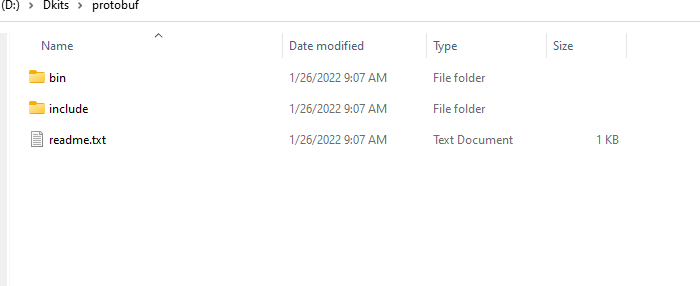
|
||||
|
||||
解压后的文件夹目录如下。
|
||||
|
||||
## 设置 PATH
|
||||
当完成下面解压后,你可以将文件所在的 bin 目录中设置到 PATH 里面。
|
||||
|
||||
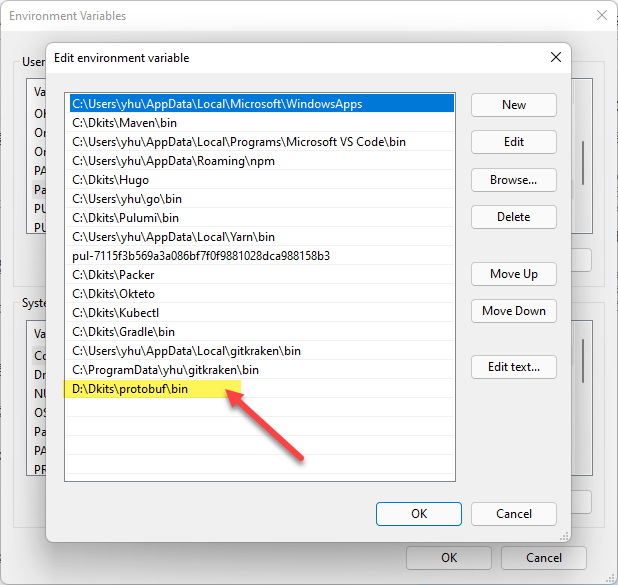
|
||||
|
||||
上面就是设置好的 PATH 目录。
|
||||
|
||||
然后保存退出。
|
||||
|
||||
## 校验安装
|
||||
在命令行工具中,运行命令:
|
||||
|
||||
`protoc --version`
|
||||
|
||||
如果能够看到版本输出的话,就说明你的 protoc 已经被正确的配置到操作系统中了。
|
||||
|
||||
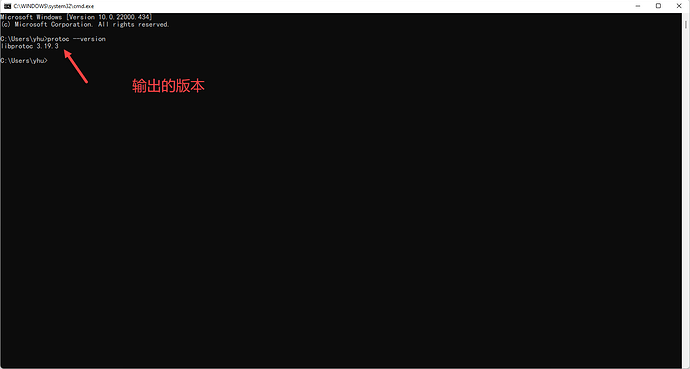
|
||||
|
||||
如上图,我们能看到正确的版本输出。
|
||||
|
||||
延伸阅读和参与讨论,请访问:[Protobuf 编译器 Windows 安装方法](https://www.ossez.com/t/protobuf-windows/13864)
|
||||
@@ -0,0 +1,28 @@
|
||||
# CWIKIUS SPRING 文档和项目快速导航
|
||||
|
||||
欢迎来到 CWIKIUS SPRING 文档和手册的空间
|
||||
|
||||
Spring 有关的文档和项目 Confluence Wiki,请访问:[https://www.cwiki.us/display/CWIKIUSDOCS/Spring+Docs](https://www.cwiki.us/display/CWIKIUSDOCS/Spring+Docs)
|
||||
|
||||
|
||||
如果您有兴趣参与我们的小组和项目,请使用下面的联系方式和我们联系:
|
||||
|
||||
| 联系方式名称 | 联系方式 |
|
||||
|---|---|
|
||||
| 电子邮件 | [service@ossez.com](mailto:service@ossez.com) |
|
||||
| QQ 或微信 | 103899765 |
|
||||
| QQ 交流群 Spring | 15186112 |
|
||||
| 社区论坛 | [https://www.ossez.com/](https://www.ossez.com/) |
|
||||
|
||||
## Spring Data JPA
|
||||
|
||||
在下面的表格中,我们列出了一些比较有用的 CWIKIUS 相关软件开发使用教程的导航,在我们文档的整理中,也参考了一些这些文档。
|
||||
|
||||
在这里对原作者表示感谢。
|
||||
|
||||
| 网站名称 | URL | NOTE |
|
||||
|---|---|---|
|
||||
| 源代码 | [https://github.com/cwiki-us-spring/spring-data-jpa](https://github.com/cwiki-us-spring/spring-data-jpa) | 下面编译结果使用的源代码 |
|
||||
| 参考 | [https://cdn.ossez.com/docs/spring-docs/spring-data-jpa/reference/html/index.html](https://cdn.ossez.com/docs/spring-docs/spring-data-jpa/reference/html/index.html) | 从官方代码库中 Fork 下来的代码后进行中文化编译后的的文档 |
|
||||
| API | [https://cdn.ossez.com/docs/spring-docs/spring-data-jpa/apidocs/index.html](https://cdn.ossez.com/docs/spring-docs/spring-data-jpa/apidocs/index.html) | 官方代码库中 Fork 下面的代码后编译的 API 参考 |
|
||||
|
||||
Reference in New Issue
Block a user